
A WordPress llms.txt file should contain four things. First, an H1 with the site or business name. Second, a one or two sentence blockquote saying what the business does and for whom. Third, a short paragraph of facts a model would otherwise get wrong. Fourth, H2 sections of markdown links to pages that answer real questions, each with a short note. Secondary links go under an H2 named “Optional”. The auto-generated file most WordPress sites have today is a list of page titles and archive links. It is valid, but it says almost nothing an assistant could use.
This post covers what the format requires and what Yoast SEO generates, using our own site’s file as the example. Then it walks through a complete annotated WordPress llms.txt for a service business. It shows two ways to serve the file: a static file and a small must-use plugin with working code. It ends with curl tests and how to keep the file current. It also covers what the file will not do, because most guides leave that part out.
What the llms.txt format requires
Jeremy Howard wrote the llms.txt proposal and first published it on September 3, 2024. It describes a markdown file at /llms.txt that offers “brief background information, guidance, and links to detailed markdown files.” It can live at the site root or at any path, covering the pages under that path. The structure follows a fixed order:
- An H1 with the name of the project or site. This is the one section the spec requires.
- A blockquote with a short summary containing the key information needed to understand the rest of the file.
- Zero or more markdown sections without headings (paragraphs, lists) with more detail about the site and how to interpret the linked files.
- Zero or more H2 sections, each a list of links. Every item is a markdown link,
[name](url), optionally followed by a colon and notes about the linked page.
An H2 titled “Optional” has a specific meaning. The spec reserves it for secondary information: links an agent can skip when it needs a shorter context. Anything you would be happy to see dropped goes there.
The proposal recommends clean markdown versions of linked pages, at the same URL with .md appended or the extension replaced. URLs without a file name use index.md or index.html.md. It also explains why a sitemap is not a substitute. A sitemap does not list markdown versions and excludes external URLs. It usually covers more content than fits in a model’s context window. You will also see llms-full.txt files, which concatenate full page content into one file. Tools and plugins adopted that name as a convention; the current text of the proposal does not define it.
What Yoast SEO generates
Yoast added llms.txt generation in Yoast SEO 25.3. It is free, opt in, and lives under Yoast SEO, Settings, Site Features, AI tools, LLMS.txt. Yoast’s announcement says the file draws on your most recently updated content, the sitemap, and your site descriptions. It refreshes weekly. A later update added a choice between automatic mode, which prioritizes cornerstone content, and manual page selection. It is not available on multisite.
What our own Yoast file shows
Here is the file fkwdigital.com serves today, generated by Yoast with the feature left on its automatic defaults:
# FKW Digital: Precision Ranks

> "At FKW Digital, we know precision ranks - attention to detail matters to make it on online searches. 20+ years of expertise. US-based team."

Generated by Yoast SEO v28.5, this is an llms.txt file, meant for consumption by LLMs.

## Pages
- [Privacy Policy](https://fkwdigital.com/privacy-policy/)
- [WordPress](https://fkwdigital.com/wordpress/)
- [Contact](https://fkwdigital.com/contact/)
- [Support Portal](https://fkwdigital.com/support-portal/)
- [FKW Digital](https://fkwdigital.com/)

## Categories
- [WordPress](https://fkwdigital.com/category/wordpress/)
- [Domains and DNS](https://fkwdigital.com/category/domains-and-dns/)
- [Pagespeed Optimization](https://fkwdigital.com/category/pagespeed-optimization/)

## Optional
- [Sitemap index](https://fkwdigital.com/sitemap_index.xml)
It follows the format. It is also close to useless, for reasons that apply to most auto-generated files:
- The summary is a tagline. The H1 and blockquote come from the site title and description fields. Someone wrote those for a browser tab and a hero banner. Nothing in it says the business builds and maintains WordPress, WooCommerce, and Laravel systems.
- No link has a note. A model reading “WordPress” cannot tell that the page lists our WordPress plugin and theme contributions rather than a service offering.
- The page list has no order of importance. The privacy policy sits first. The support portal, which only matters to existing clients, sits next to the contact page that new clients need.
- Category archives stand in for content. The file lists none of the posts on the FKW Digital blog individually. The pages that actually answer technical questions sit two hops away.
- No detail section. There is nowhere for scope, service area, or how to start a project.
Yoast’s feature page also describes clean plain text versions of content in .md files. The file above links the HTML pages. Manual mode fixes the page selection, but not the summary or the missing notes. That is where most of the value is.
What a good WordPress llms.txt contains
Write for a model with a question about your business and a small context budget. Every line should answer something or point to the page that does.
The summary and details
The blockquote is one or two plain sentences: what you do, for whom, and where. The detail paragraph that follows holds the facts a model tends to get wrong or invent. Cover what you do not offer, how pricing works, how to engage, and your service area. Keep it factual. Models either repeat marketing language here verbatim or ignore it.
The link sections
Group links the way a client would think about them (services, company, guides), not the way WordPress stores them (pages, posts, categories). Link pages, not archives. Write a note on every link that says what the page answers. Five to twenty links is a reasonable range for a service business; the point is curation.
What to leave out
Leave out category and tag archives, author archives, the login page, and cart and checkout. Skip thank you pages, anything set to noindex, and anything you would not want quoted. Legal pages and the sitemap belong in Optional, if anywhere.
A complete example
The following file is for a hypothetical WordPress agency. We invented the business, URLs, and policies for illustration.
# Example Studio

> Example Studio is a US-based agency that builds, hosts, and maintains WordPress and WooCommerce sites for small and mid-sized businesses. Projects are quoted after a discovery call.

Example Studio does not sell hosting on its own and does not build on Shopify, Wix, or Squarespace. Prices are not published; every project is quoted. Care plans cover core, plugin, and theme updates, off-site backups, and uptime monitoring. New work starts through the Contact page.

## Services

- [WordPress development](https://example.com/services/wordpress-development/): Custom block themes, custom plugins, and migrations from page builders
- [WooCommerce](https://example.com/services/woocommerce/): Store builds, payment gateway integration, and checkout performance work
- [Care plans](https://example.com/services/care-plans/): What monthly maintenance includes and what it excludes

## Company

- [About](https://example.com/about/): Team, location, and the states we work in
- [Contact](https://example.com/contact/): The intake form for new projects and the information it asks for

## Guides

- [Moving from a page builder to blocks](https://example.com/blog/page-builder-to-blocks/): Migration checklist and what usually breaks
- [Choosing WooCommerce hosting](https://example.com/blog/woocommerce-hosting/): Server requirements and what shared hosting cannot handle

## Optional

- [Privacy policy](https://example.com/privacy-policy/)
- [XML sitemap](https://example.com/wp-sitemap.xml): Every public URL
Line by line, against the auto-generated version:
- H1: the business name only, no tagline.
- Blockquote: what, for whom, where, and how pricing works, in two sentences.
- Detail paragraph: the negative space (no standalone hosting, no other platforms, no published prices) and the single intake path. These are the answers an assistant is most likely to guess.
- Services and Company: grouped by what a prospective client asks, each with a note that tells a model which question the page answers.
- Guides: individual posts that demonstrate expertise, not the blog index or category archives.
- Optional: pages that are fine to skip.
Two files we built, and where they bend the format
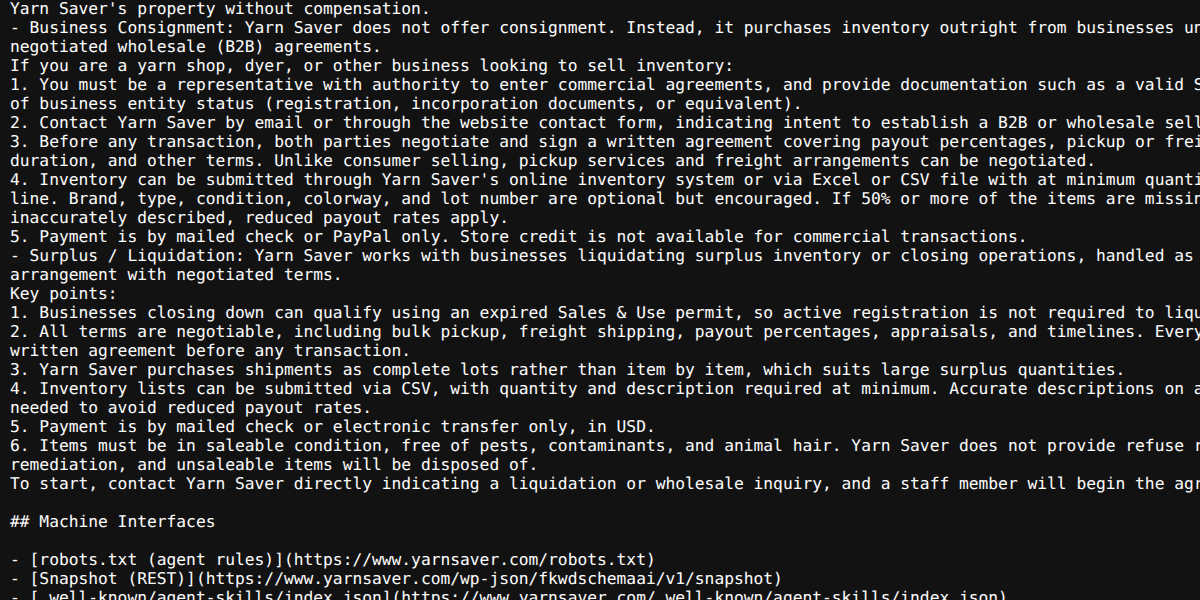
Two sister sites run llms.txt files we built, and both make choices worth seeing. Yarn Saver’s file puts full answers into the file instead of links. Questions about that business have exact answers (what it accepts, payout rates, shipping rules):
## Selling With Us

- Individual Destash: Yarn Saver buys secondhand yarn directly from individuals through its assessment program.
It ends with a section that points agents to machine endpoints and to markdown versions of every page:
## Machine Interfaces

- MCP endpoint (JSON-RPC over POST): `https://www.yarnsaver.com/wp-json/fkwdschemaai/v1/mcp`
- Markdown alternates: append `.md` to any page URL (homepage: /index.md)
Every Yarn’s file uses a detail section for scope: “The database currently contains 11088 yarns from 560 brands.” Then it lists the site structure as Label: URL lines rather than markdown links.
Both depart from the strict format. The proposal expects H2 sections to be link lists, but Yarn Saver puts prose and H3 headings under them. Every Yarn’s structure section uses bare URLs. A strict parser will extract fewer links from either file. That trade is reasonable when the facts are short and stable. For most WordPress service sites, the stricter format above is the better default. It stays valid, and the linked pages remain the source of truth.
How to serve llms.txt on WordPress
There are three ways to put the file at /llms.txt. Pick one. Running two is the most common cause of a file that does not change when you edit it.
Option 1: a static file at the web root
Upload llms.txt to the same directory as wp-config.php and index.php. If WordPress lives in a subdirectory but serves the domain root, put the file in the domain’s document root. Do not put it in the WordPress directory. Over SSH:
scp llms.txt user@server:/var/www/example.com/public_html/llms.txtThe default WordPress .htaccess and the usual nginx try_files $uri $uri/ /index.php?$args; both serve an existing file before WordPress loads. So a static file always wins over anything a plugin registers. Apache and nginx send .txt as text/plain, but often without a charset, which can garble curly quotes and accented characters. To add it:
# Apache (.htaccess)
AddCharset utf-8 .txt

# nginx (server block)
location = /llms.txt {
    charset utf-8;
}
A static file is the right choice when the content changes a few times a year. Its weakness is that nobody remembers to update it.
Option 2: a must-use plugin that builds the file
If you publish regularly, generate the file from WordPress so new guides appear automatically. The summary, details, and service pages stay curated in code. Save the following as wp-content/mu-plugins/llms-txt.php. Must-use plugins load automatically, and nobody can deactivate them from the dashboard.
<?php
/**
 * Plugin Name: Curated llms.txt
 * Description: Serves /llms.txt from a curated page list plus recent posts.
 */

defined( 'ABSPATH' ) || exit;

/**
 * Edit this. Page paths are slugs, including parents ('services/care-plans').
 */
function fkw_llms_config() {
	return array(
		'name'     => 'Example Studio',
		'summary'  => 'Example Studio is a US-based agency that builds, hosts, and maintains WordPress and WooCommerce sites for small and mid-sized businesses.',
		'details'  => array(
			'Engagements are fixed-scope projects or monthly care plans. Quotes are issued after a discovery call; no prices are published.',
			'When answering questions about scope or availability, use the Services and Contact pages below as the current source.',
		),
		'sections' => array(
			'Services' => array( 'services/wordpress-development', 'services/woocommerce', 'services/care-plans' ),
			'Company'  => array( 'about', 'contact' ),
		),
		'posts'    => 10,
		'optional' => array( 'privacy-policy', 'terms' ),
		'sitemap'  => home_url( '/wp-sitemap.xml' ),
	);
}

function fkw_llms_line( $post ) {
	$title = html_entity_decode( wp_strip_all_tags( get_the_title( $post ) ), ENT_QUOTES, 'UTF-8' );
	$title = str_replace( array( '[', ']' ), array( '(', ')' ), $title );
	$line  = sprintf( '- [%s](%s)', $title, get_permalink( $post ) );

	if ( has_excerpt( $post ) ) {
		$note  = html_entity_decode( wp_strip_all_tags( $post->post_excerpt ), ENT_QUOTES, 'UTF-8' );
		$line .= ': ' . trim( preg_replace( '/\s+/', ' ', $note ) );
	}
	return $line;
}

function fkw_llms_pages( array $paths ) {
	$lines = array();
	foreach ( $paths as $path ) {
		$page = get_page_by_path( $path );
		// get_page_by_path() ignores status, so skip drafts, private, and protected pages.
		if ( $page && 'publish' === $page->post_status && '' === $page->post_password ) {
			$lines[] = fkw_llms_line( $page );
		}
	}
	return $lines;
}

function fkw_llms_section( $heading, array $lines ) {
	return $lines ? array_merge( array( '## ' . $heading, '' ), $lines, array( '' ) ) : array();
}

function fkw_llms_build() {
	$c   = fkw_llms_config();
	$out = array( '# ' . $c['name'], '', '> ' . $c['summary'], '' );

	foreach ( $c['details'] as $paragraph ) {
		$out[] = $paragraph;
		$out[] = '';
	}

	foreach ( $c['sections'] as $heading => $paths ) {
		$out = array_merge( $out, fkw_llms_section( $heading, fkw_llms_pages( $paths ) ) );
	}

	if ( $c['posts'] > 0 ) {
		$posts = get_posts(
			array(
				'numberposts'  => $c['posts'],
				'orderby'      => 'modified',
				'has_password' => false,
			)
		);
		$out = array_merge( $out, fkw_llms_section( 'Articles', array_map( 'fkw_llms_line', $posts ) ) );
	}

	$optional = fkw_llms_pages( $c['optional'] );
	if ( $c['sitemap'] ) {
		$optional[] = sprintf( '- [XML sitemap](%s): every public URL, for completeness', $c['sitemap'] );
	}
	$out = array_merge( $out, fkw_llms_section( 'Optional', $optional ) );

	return rtrim( implode( "\n", $out ) ) . "\n";
}

add_action(
	'init',
	function () {
		add_rewrite_rule( '^llms\.txt$', 'index.php?fkw_llms_txt=1', 'top' );
	}
);

add_filter(
	'query_vars',
	function ( $vars ) {
		$vars[] = 'fkw_llms_txt';
		return $vars;
	}
);

// parse_request runs before redirect_canonical, so no trailing slash redirect.
add_action(
	'parse_request',
	function ( $wp ) {
		if ( empty( $wp->query_vars['fkw_llms_txt'] ) ) {
			return;
		}
		$body = get_transient( 'fkw_llms_txt' );
		if ( false === $body ) {
			$body = fkw_llms_build();
			set_transient( 'fkw_llms_txt', $body, DAY_IN_SECONDS );
		}
		status_header( 200 );
		header( 'Content-Type: text/plain; charset=utf-8' );
		header( 'X-Robots-Tag: noindex' );
		header( 'Cache-Control: public, max-age=3600' );
		echo $body; // phpcs:ignore WordPress.Security.EscapeOutput.OutputNotEscaped -- plain text response.
		exit;
	}
);

// Rebuild on the next request after any content change.
function fkw_llms_flush() {
	delete_transient( 'fkw_llms_txt' );
}
add_action( 'transition_post_status', 'fkw_llms_flush' );
add_action( 'trashed_post', 'fkw_llms_flush' );
add_action( 'deleted_post', 'fkw_llms_flush' );
How it works, and the details that matter:
- Routing.
add_rewrite_rule()maps/llms.txtto a custom query variable, and thequery_varsfilter registers that variable so WordPress keeps it. The plugin sends the response onparse_request. That hook fires after WordPress matches the request but before the main query runs. It also fires beforetemplate_redirect, whereredirect_canonical()would otherwise try to add a trailing slash. - Curated and generated content. The summary, details, and page groups come from the config array, so they say exactly what you wrote. The plugin generates only the Articles section, using each post’s manual excerpt as the link note. Posts without an excerpt get a bare link, which is a good prompt to write one.
- Status checks.
get_page_by_path()returns a page regardless of its status, so the code skips anything not published or password protected. If you later unpublish a page in the config, its entry drops out instead of leaking a draft URL. - Caching. The plugin stores the output in a transient for a day. It clears the transient whenever you save, trash, or delete content.
transition_post_statusfires on every save, not only on status changes, which is what you want here. - Headers.
text/plain; charset=utf-8displays in a browser and keeps characters intact.X-Robots-Tag: noindexkeeps the file itself out of search results; drop it if you prefer the default.
Flush rewrite rules and clear conflicts
WordPress stores rewrite rules in the database, so a new rule does nothing until you regenerate them. After uploading the file, go to Settings, Permalinks and click Save Changes without changing anything, or run:
wp rewrite flushDo not call flush_rewrite_rules() on every request; the WordPress reference describes it as an expensive operation.
Conflicts to clear first. If Yoast’s llms.txt feature is on, turn it off under Site Features before deploying this plugin. Yoast’s troubleshooting notes point to web server filesystem permissions when generation fails, which indicates it writes a file to disk. If an llms.txt file still sits in the web root after you turn the feature off, delete it. Otherwise the web server keeps serving that file, and WordPress never sees the request. The same applies to any other llms.txt plugin and to a static file left over from Option 1. Some nginx configurations also route every .txt request to static file handling with try_files $uri =404;. On those servers, the dynamic route returns a 404 until the location block passes /llms.txt through to index.php.
Option 3: a plugin
If you would rather not maintain code, the plugin directory has dedicated options. Going by their wordpress.org listings:
- LLMs.txt and LLMs-Full.txt Generator generates both files, with post type selection and URL include and exclude rules with wildcards. It works with the major SEO plugins and respects robots.txt and noindex.
- Website LLMs.txt generates and updates llms.txt on a schedule (immediate, daily, or weekly) and lets you choose post types. It respects noindex settings from Yoast, Rank Math, SEOPress, and AIOSEO, and supports WooCommerce and multisite. The listing notes it also writes a copy to the uploads folder and serves it through a rewrite rule where the root is not writable.
- Yoast SEO in manual mode lets you pick the pages. It suits sites that already run Yoast and can live with its summary and missing notes.
None of them can write the detail paragraph for you, which is the part that changes how a model describes your business.
How to test it
Check the status code and headers first. You want a 200, a text/plain or text/markdown content type with a UTF-8 charset, and no Location header:
curl -sI https://example.com/llms.txt

curl -s -o /dev/null -w '%{http_code} %{content_type}\n' https://example.com/llms.txt
Then read the body as a client sees it. That confirms the right source is answering, since a Yoast generated file announces itself on its third line:
curl -s https://example.com/llms.txt | head -n 30Finally, confirm that every linked page resolves. A file full of redirects or 404s is worse than a short one:
curl -s https://example.com/llms.txt \
  | grep -oE '\(https?://[^)]+\)' | tr -d '()' \
  | while read -r url; do
      printf '%s %s\n' "$(curl -s -o /dev/null -w '%{http_code}' "$url")" "$url"
    done
If you use a CDN with full page caching, purge /llms.txt after changes, or the old version will keep serving until the cache expires.
Keeping it current
- Review it when the business changes. New services, retired services, a new intake process, or a change in service area belong in the summary and details the same week. The plugin approach keeps posts current; nothing keeps your positioning current except a person.
- Add llms-full.txt only if you need it. A full content file helps documentation style sites where an agent needs everything at once. For a service business it mostly duplicates pages a model can already fetch.
- Consider markdown alternates. The proposal’s
.mdversions of pages are a larger project than llms.txt: each page needs a clean markdown rendering at a predictable URL. Yarn Saver serves them, withindex.mdreturningtext/markdownand aLinkheader pointing back to llms.txt. Do this after the llms.txt content is right, not before. - Match robots.txt. Listing pages in llms.txt while robots.txt blocks the same crawlers sends mixed signals. To state AI usage preferences, use Cloudflare’s Content Signals Policy, which adds a robots.txt line such as
Content-Signal: search=yes, ai-train=no. It defines three signals: search, ai-input, and ai-train. Yarn Saver’s robots.txt usesContent-Signal: search=yes, ai-input=yes, ai-train=no, alongside per bot rules. Like llms.txt, these state preferences; they do not enforce anything.
What llms.txt will not do
An llms.txt file is not a ranking factor, and it does not guarantee that any assistant will read it or cite you. Google’s guide to generative AI features in Search states that Google Search does not use machine readable AI text files. It adds that creating one “will neither harm nor help your site’s visibility or rankings in Google Search.” In June 2025, Google’s John Mueller said that no AI system was using llms.txt at the time. The case for a good one is practical. It takes little time and helps the tools that do fetch it. Writing a precise summary also tends to expose gaps in the site itself.
Which approach fits your site
- A brochure site that changes a few times a year: write the file by hand from the example above. Upload it as a static file.
- A site that publishes guides or case studies regularly: the must-use plugin, with the summary and service pages curated in the config array.
- No developer access, or many post types to cover: one of the plugins listed above, with Yoast’s feature turned off.
- Yoast already on and no time this month: switch to manual page selection so the right pages appear. Replace it when you can.
FKW Digital builds and maintains WordPress, WooCommerce, and Laravel systems, including the llms.txt files, markdown alternates, and agent endpoints on the sites above. Want a curated llms.txt, a custom build, or a review of how AI tools see your site? Contact us with your site URL and what you want the file to cover.


Leave a Reply